Airbnb's 2026 AI-Evidence Ban: What Hosts Must Do Now
Airbnb now rejects AI-generated and AI-enhanced photos in damage claims. The policy took effect April 20, 2026. If you submit edited photos with your AirCover claim, Airbnb can deny it — no matter how clear the damage looks.
Here is what you need to know and what you can do today.
What the Policy Change Actually Says
Airbnb's updated evidence guidelines require hosts to submit original, unaltered photos when filing AirCover claims. Photos that show signs of AI editing, enhancement, or manipulation are subject to rejection.
This matters because AI photo tools are now everywhere. Apps that remove backgrounds, brighten dark rooms, or sharpen blurry images can alter the underlying photo data — even if the damage itself is real. Airbnb's review process can flag this, and the claim gets denied.
The rule is not about punishing hosts who edit photos to make them look better. It is about ensuring the evidence is real. But the result is the same: any post-capture editing puts your claim at risk.
Why This Hits Hosts Hard
Most hosts do not edit photos to deceive anyone. They edit them because their phone camera took a dark, blurry shot at 8am after a long turnover. They brighten it up so the damage is visible. Then Airbnb's system flags it as altered.
This is the trap. Good intentions, bad outcome.
The only safe solution is to never need to edit in the first place. That means capturing photos in good light, at the right angle, with a tool that locks the photo the moment you take it.
What Evidence Airbnb Actually Requires Now
To win an AirCover claim in 2026, your photos need to show three things:
1. The damage is real. Clear, in-focus photos from multiple angles. No blur, no cropping that hides context.
2. The damage happened during this stay. You need before photos showing the property was fine when the guest arrived, and after photos showing the damage. Without before photos, Airbnb cannot confirm the damage wasn't already there.
3. The photos haven't been altered. This is the new requirement. Original photo info — meaning the time, location, and file data — must match what Airbnb expects. Any editing breaks that chain.
Comparison: Timestamp Apps vs. Live-Capture Apps
Not all photo tools are equal. Here is how common options stack up against the new rules.
| Feature | Timestamp Camera Apps | Live-Capture Proof Apps (e.g. Proofmi) |
|---|---|---|
| Adds date and time to photo | Yes | Yes |
| Locks GPS location | Sometimes | Yes |
| Prevents post-capture edits | No | Yes |
| Works with any photo (including AI-edited) | Yes | No — camera only |
| Photo info locked at capture | No | Yes |
| Meets Airbnb's original-unaltered standard | Risky | Yes |
| Can edit photo after capturing | Yes | No |
| Evidence chain host controls | No | Yes |
Timestamp apps stamp whatever you hand them. They do not prove the photo is original. Airbnb's new rules check the photo itself, not just the visible date.
Live-capture apps take the photo and lock it immediately. There is no window to edit. The photo info shows exactly when and where it was taken — and nothing else happened to it since.
The Before-Photo Problem
Most denied AirCover claims fail on the same point: no before photos.
A host finds a broken cabinet. They photograph it after checkout. Airbnb asks: how do we know that wasn't already broken? Without a before photo showing the cabinet intact, there is no answer.
The new AI-evidence rules make this worse. Even if you have before photos, if they were brightened or touched up, they can be flagged.
The fix is to take before photos at turnover time with a tool that locks them immediately. No brightening after the fact. No cropping later. Capture them live and leave them as they are.
What "Captured Live" Means
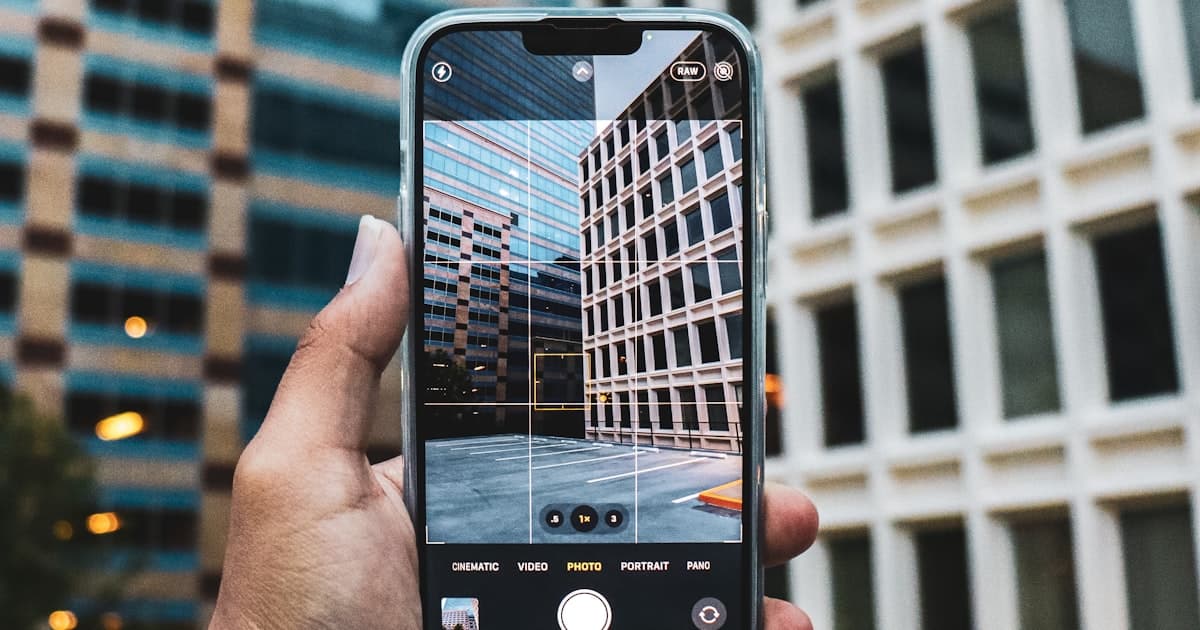
When Proofmi says photos are "captured live," it means the camera and the storage happen in the same step. You open the app, take a photo, and it is stored with the time and GPS info locked in. You cannot upload a photo taken earlier. You cannot edit it after.
The result is a photo that can only show what was in front of you at that moment. That is the kind of evidence Airbnb now asks for.
What to Do Before Your Next Checkout
You do not need to wait for your next dispute. Start now:
Before every stay: Walk through the property and photograph every room, every appliance, every piece of furniture. Do this in the app — not your phone gallery — so the photos are locked immediately.
After every checkout: Do the same walk-through. Compare the before and after. If anything changed, you already have the before photo to pair it with.
File within 14 days: Airbnb's AirCover deadline is 14 days after checkout or before the next guest checks in, whichever is earlier. Do not wait.
Submit the original files: Do not re-save, email, or screenshot the photos before uploading. Submit them directly from the inspection app if possible.
The Bigger Picture for Hosts
This rule change is not just about damage claims. It signals where Airbnb is heading. As AI tools become better at generating fake evidence, platforms are going to require more proof that documentation is original.
Hosts who build a habit of live-capture documentation now will be ahead of that curve. Every shared proof link is also a signal to guests that you document carefully — which reduces disputes in the first place.
The hosts who win claims are not the ones with the most photos. They are the ones whose photos are clearly real and clearly taken at the right time.
Related Reading
If you want to go deeper on protecting your claims:
- How to Win AirCover Claims: A Complete Guide for Hosts — the full AirCover process, what adjusters look for, and how to appeal a denial.
- VRBO Damage Claims: What Hosts Need to Know — VRBO has no AirCover equivalent; the evidence standards are different and often stricter.
- Security Deposit Photo Evidence: What Works and What Doesn't — what makes a damage photo legally useful vs. easily dismissed.
- New Host Property Documentation: Start Here — the baseline documentation every host should have before their first guest.
Lock Your Founder Rate Now
Proofmi is in its founding period. The first 100 hosts who sign up lock $4.99/month for life — that price never goes up as long as you stay active.
The app is free to download. You pay only if you want the pro features (unlimited inspections, guest co-sign, PDF exports). The founding rate is for hosts who get in early.
Download Proofmi for iOS — or Android.
The Airbnb rule already changed. Your documentation habit is what comes next.