See exactly how ProofMi works.
Three flows. Five minutes to understand. Then open a real verified inspection yourself.
Take photos that can't be faked.
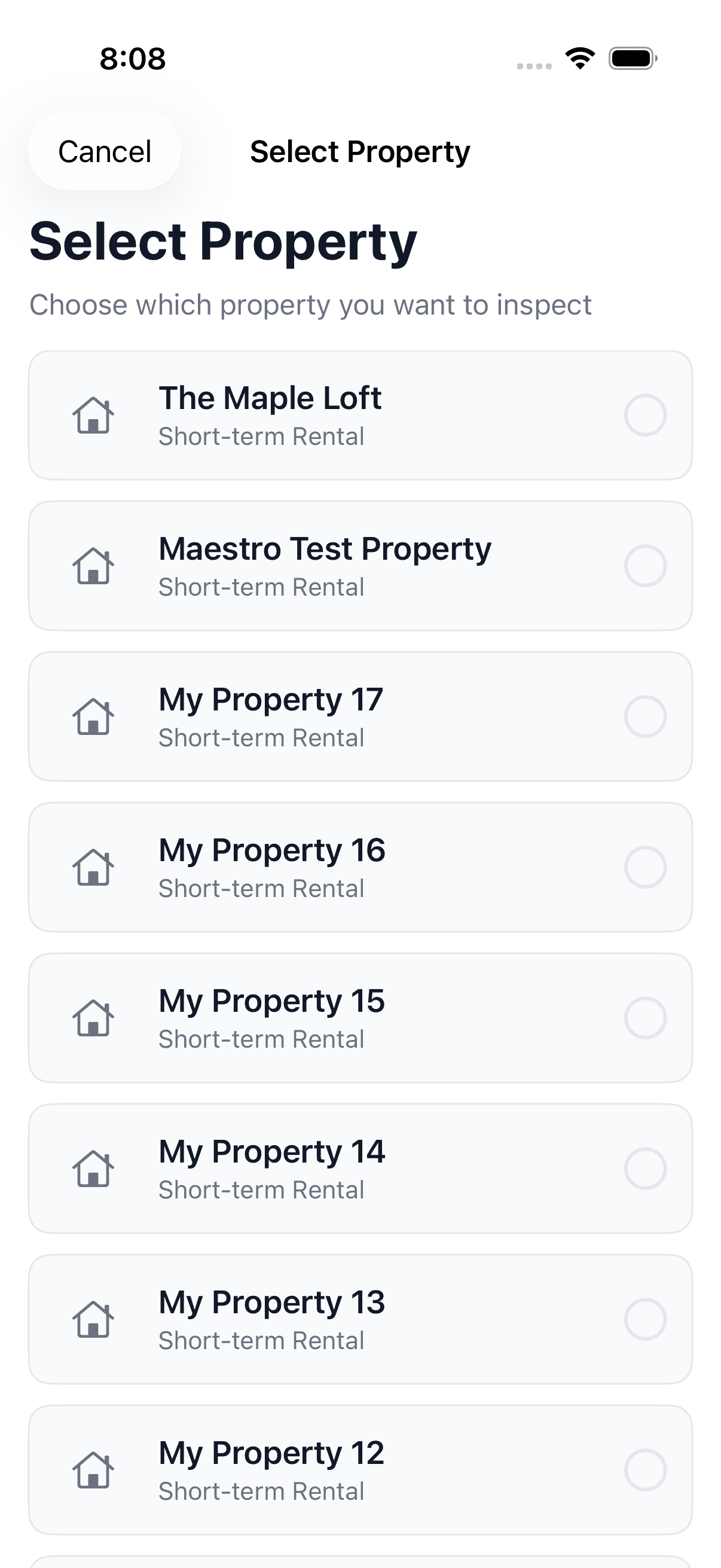
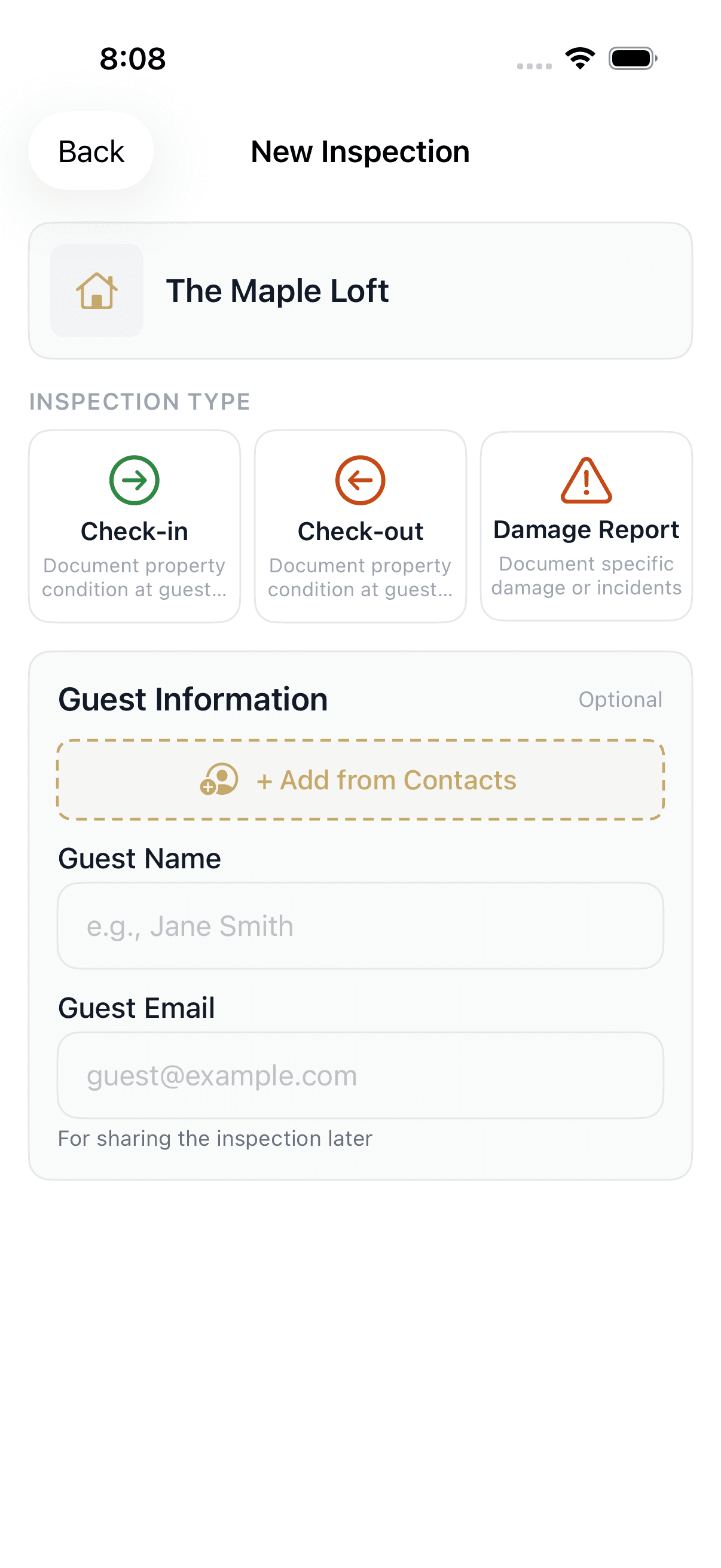
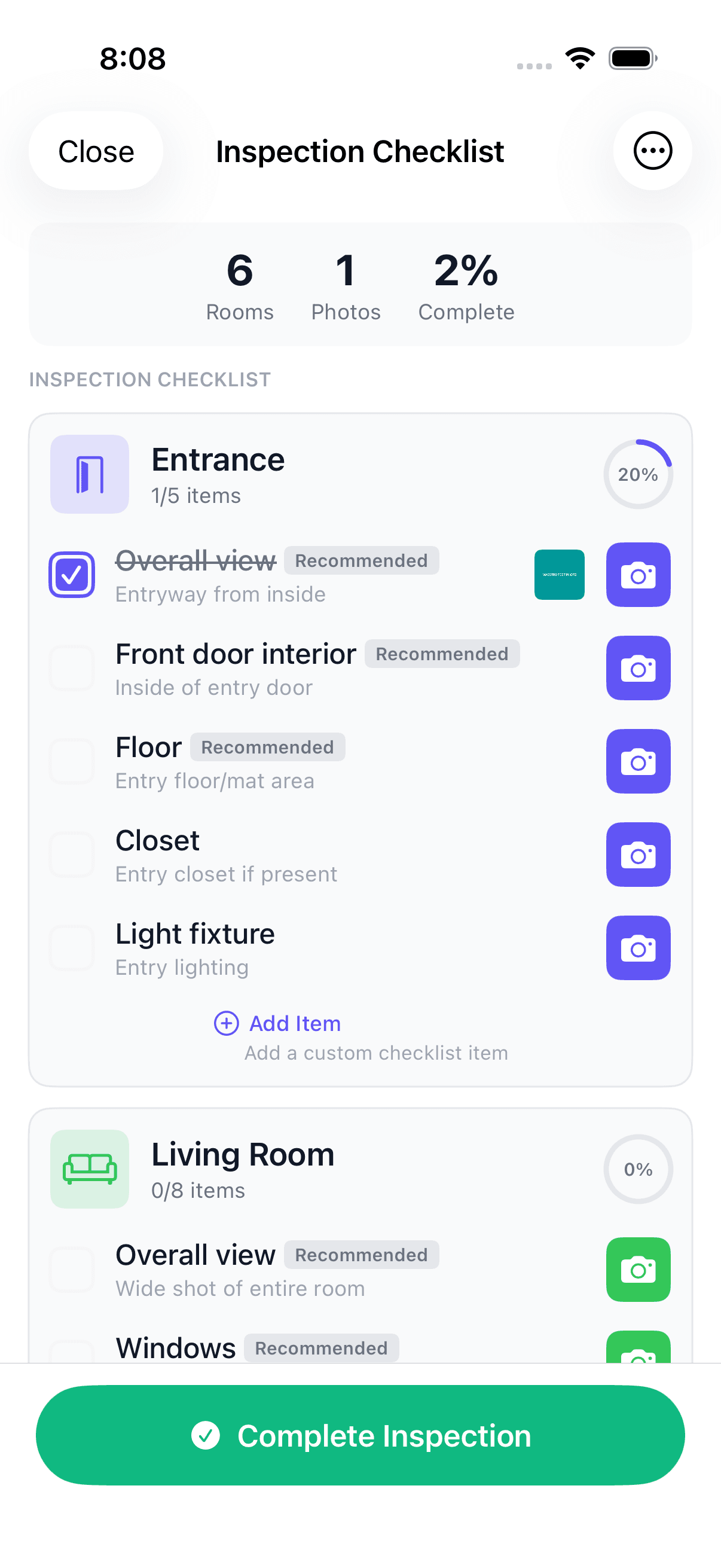
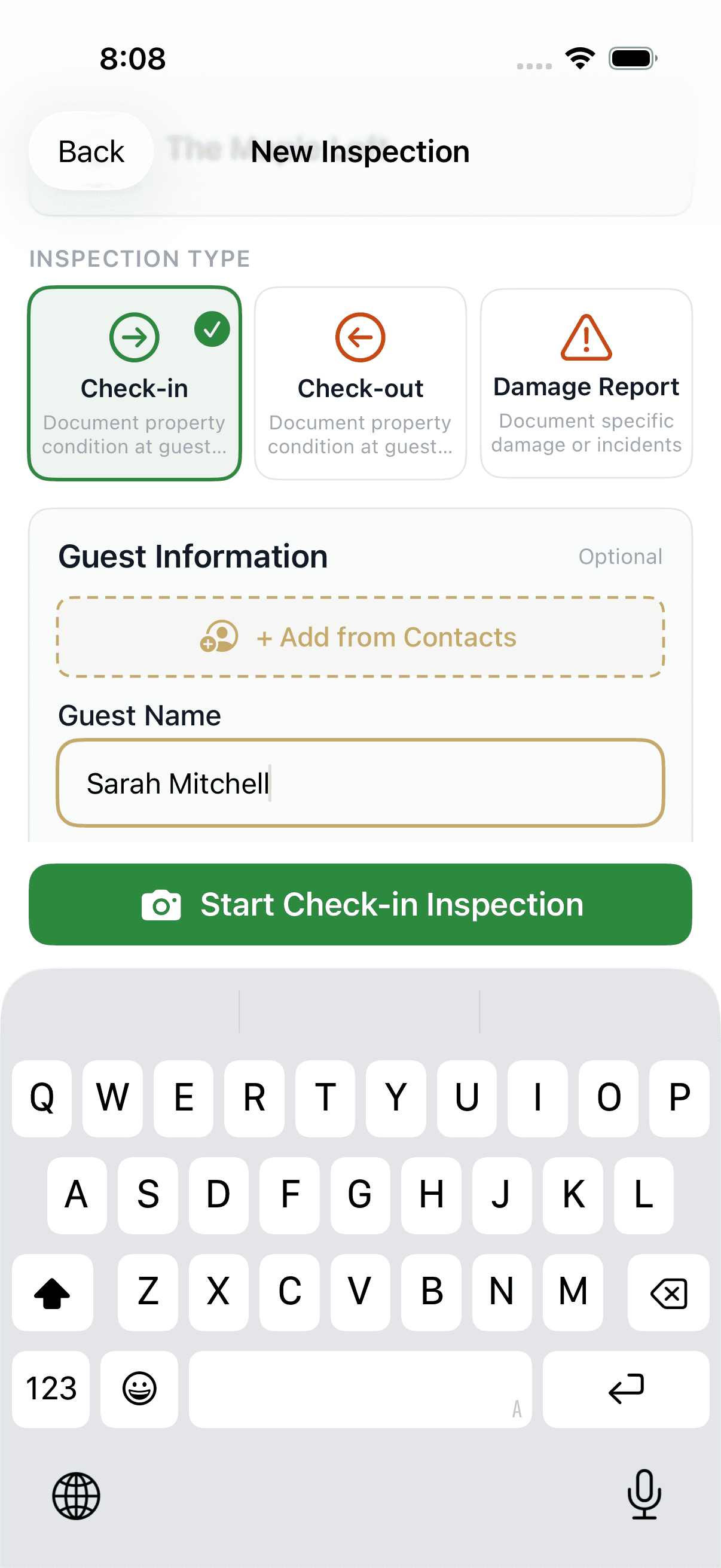
Open ProofMi and pick the property. Choose an inspection type — check-in, check-out, or damage record. Then work through each room and shoot.
You cannot import from your camera roll. Every photo must be taken live inside the app, which means AI-generated fakes can never get in.
When you mark the inspection complete, the status moves to ready — all photos locked and ready to share.
One link. No app required.
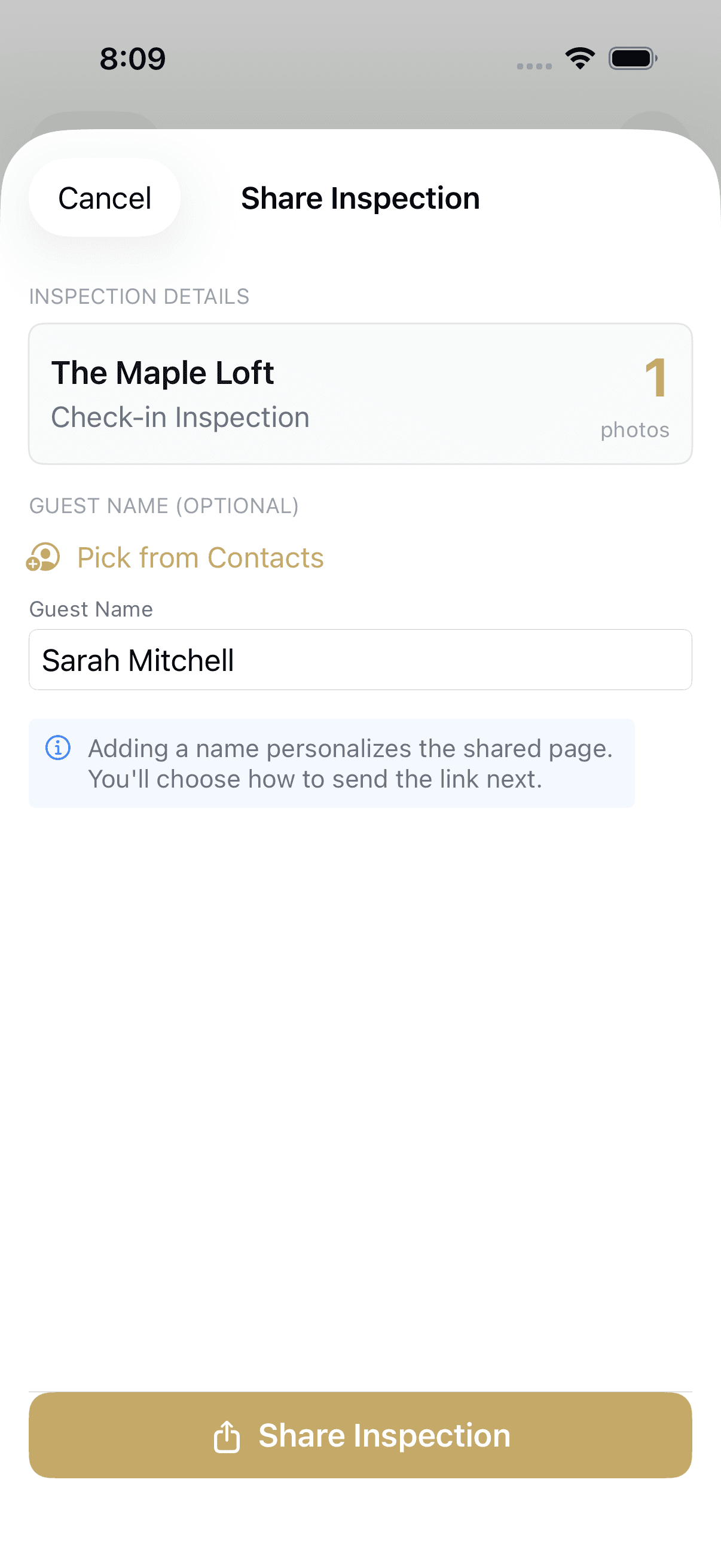
Optionally type your guest's name, then tap Share. ProofMi generates a unique proofmi.xyz/inspect/{id} link and opens the system share sheet.
Send it by text, email, WhatsApp, or whatever your guest uses. They open it in any browser. No app install. No account.
Guest reviews and co-signs — in any browser.
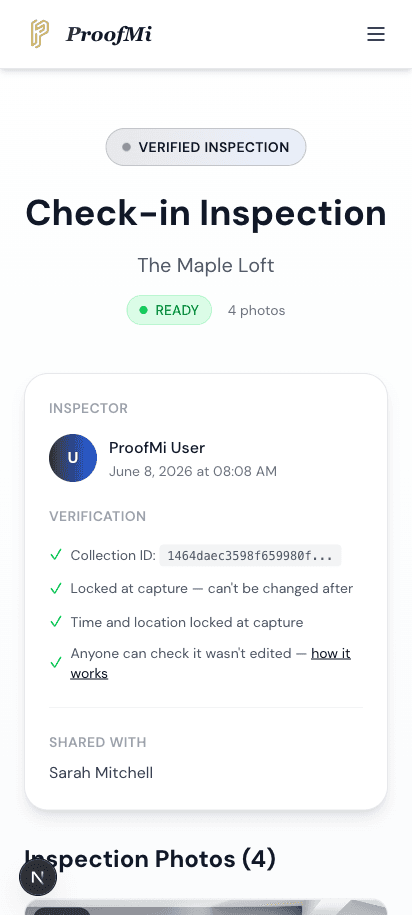
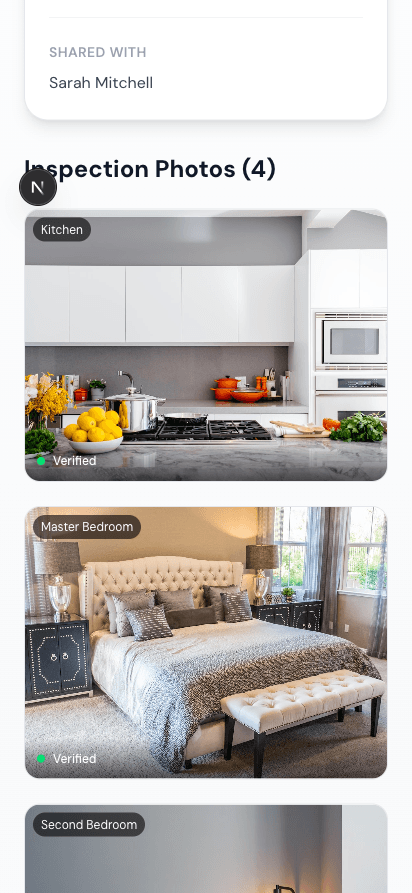
The guest opens the link and sees every photo with its verification hash, timestamp, and GPS location — all confirmed tamper-free by ProofMi's servers.
They can upload their own response photos and leave photo-anchored comments — each comment tied to the specific photo it refers to.
When they're satisfied, they tap “Looks Good”. Their name, email, and timestamp are recorded. The inspection status moves to accepted.
Note: “Looks Good” is a recorded acknowledgment, not a legally binding e-signature. It creates a clear paper trail, not a notarized contract.
The core insight
Why you can't just text the photos.
The usual way a cleaner sends photos — a text or a WhatsApp — usually wipes the date and location. And even when they survive, anyone can edit EXIF in seconds. So the photo file was never proof.
| How the cleaner sends it | Date & location in the file | Why |
|---|---|---|
| SMS / MMS | Stripped | recompressed |
| WhatsApp (normal) | Stripped | recompressed |
| FB Messenger (normal) | Stripped | recompressed |
| WhatsApp "Send as Document" | Kept | original file |
| iMessage (existing photo) | Kept | full-res send |
| AirDrop | Kept | full-res send |
The usual way a cleaner sends photos — a text or a WhatsApp — usually wipes the date and location. And even when they survive, anyone can edit EXIF in seconds with free tools. So the photo file was never proof.
That's why ProofMi seals proof at capture on its own servers and lets anyone verify it from a link — independent of the file, independent of the device, and independent of however the photo was shared.
See it for yourself.
Open a real verified inspection and experience exactly what your guest sees — tamper-proof photos with hashes, location, and co-sign status — in your browser, right now.
Why hosts trust it
Three things that make it proof.
Sealed at capture
A SHA-256 hash is computed the moment the shutter fires — inside the app, on ProofMi's servers. The file on your phone is a copy; the seal lives independently.
Time + location locked
The exact timestamp and GPS coordinates are recorded server-side at capture. They are not stored in the image file where anyone can edit them.
Anyone can verify
Every inspection gets a public URL. Open it in any browser — no account — and you can see the photos, hashes, and co-sign status. The record speaks for itself.
FAQ
Common questions.
Ready to document your first inspection?
Five minutes to capture. A link your guest can verify on any device. Evidence that holds up when a dispute comes.


Tiered pricing · See plans · iOS & Android